
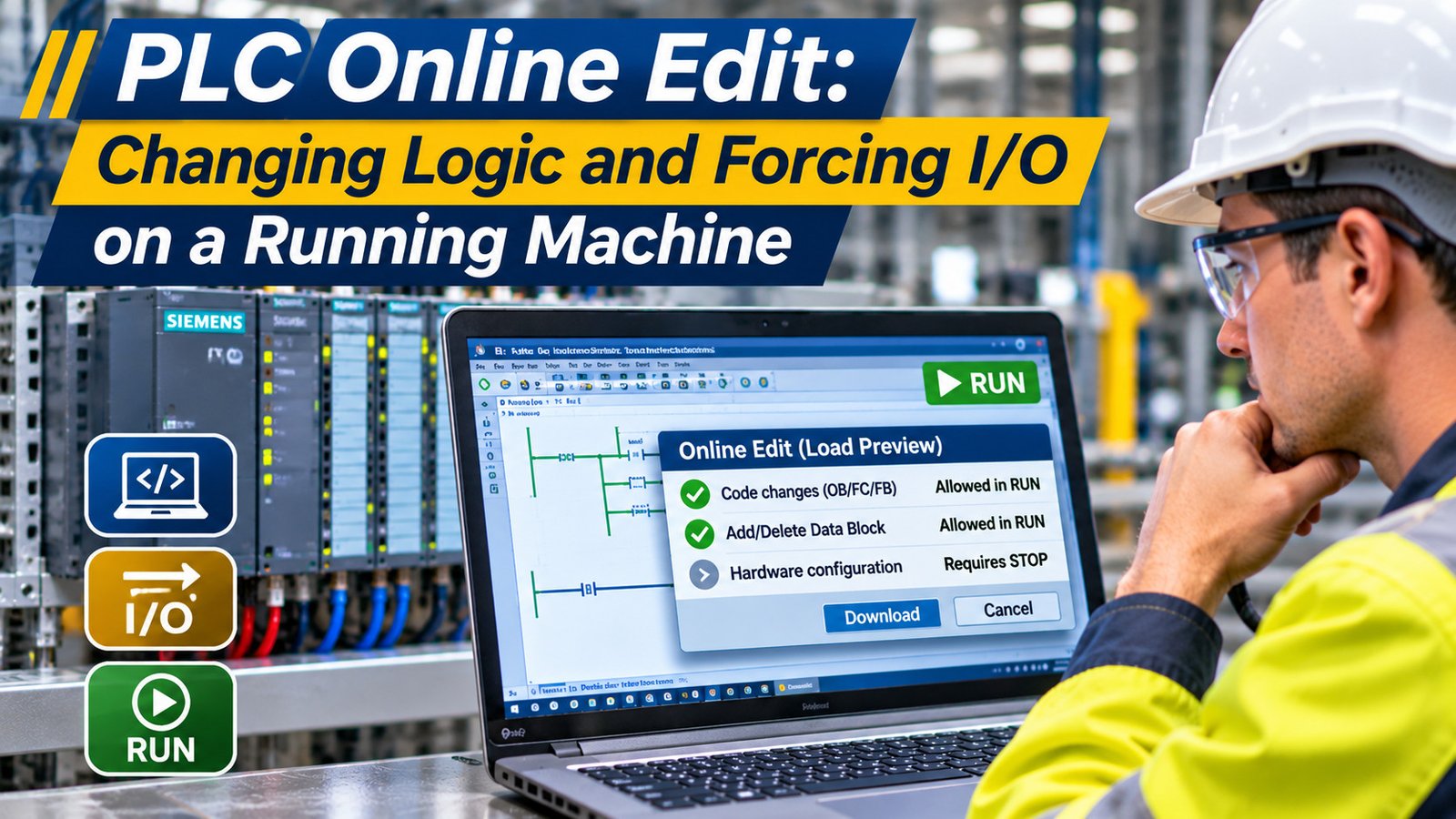
“Can I make this change without stopping the line?” That is the question every junior tech asks, and it is the right question to ask before a PLC online edit.
The old hand looks at the machine first and the laptop second. Changing the program while the line runs is normal work in a plant. It is also the moment when a maintenance electrician can put an output in a state nobody expects.
“So what actually changes inside the CPU?”
Only the code the processor scans. On a Siemens S7-1200 or S7-1500 the software first works out whether the CPU has to stop. The load preview shows that result before anything is transferred. On a Logix controller the change waits in a pending state until the edits are assembled. Neither dialog knows where the operator’s hands are.
“Then how do the experienced guys do it every day?”
They classify the change before they type. A comment, a timer preset, a rung that drives a stack light, those are routine. Deleting the logic that holds a clamp closed while the clamp grips a part is a different job. No download mode makes that one routine.
The two questions that decide the job
Ask what the output will do while the change lands. Then ask what the machine does if the change is wrong. Those two answers decide whether this is five minutes at the panel or a scheduled stop with the disconnect locked out.
If you cannot answer the first question in one sentence, you are not ready to press download.
Forcing an output versus writing to a tag
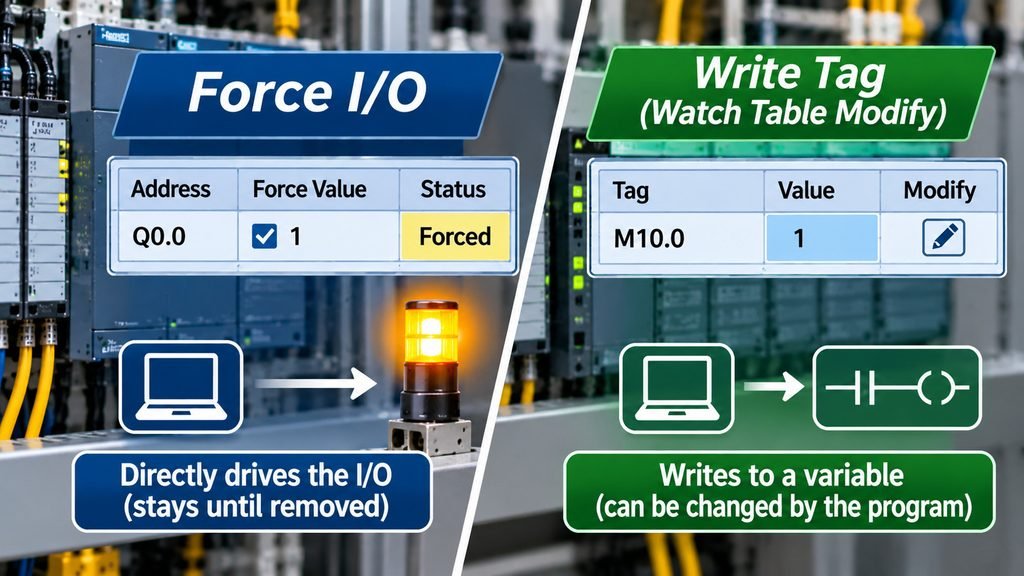
Forcing is not an override of the program. It is a value you impose on a point, and it stays imposed until somebody removes it.
In Siemens STEP 7 the force table assigns permanent values to individual tags of the user program. That is what forcing means. You force process-image I/O, which means peripheral addresses, for example a bit addressed with the 😛 suffix. A memory bit is not a process-image I/O point, so the force table cannot help you there.
To write a value into a memory bit you use a watch table’s modify function. That function writes to whatever tag you name, wherever that tag lives.
The distinction in one line: forcing acts on the I/O image, modifying a watch-table value acts on whatever tag you name. Mixing up the two wastes ten minutes every time, and it wastes them during a fault.
How the controllers show it
On a Logix controller, I/O forces are enabled, disabled and removed through the force functions. The force status indicator tells you whether forces are installed and whether they are enabled. Read that indicator before you conclude that a point is following the program.
Table 1: Forcing an output compared with modifying a tag
| Platform | Action | What the write touches | What to watch |
|---|---|---|---|
| Siemens | Force table | Process-image I/O, such as a bit with the : P suffix | The force stays until you remove it |
| Siemens | Watch table modify | Whatever tag you name, including a memory bit | Not a process-image point, so not forcing |
| Rockwell Logix | Force functions | I/O points, enabled as a group | Force status indicator shows installed and enabled |
| Micro800 | Force functions | I/O points | All forces clear after a power cycle |
Caution: the Micro800 clears every force when you cycle power. Other families behave differently, so check the controller’s own manual and record what you installed before you walk away. The persistence of a force is not something to guess.
Writing a tag value from a watch table looks harmless because the tag turns blue and the number changes. The output may not move at all if the logic rewrites that tag on the next scan. A force does move the point, which is why it is the more dangerous of the two.
Downloading changes in RUN on a Siemens S7-1200 or S7-1500
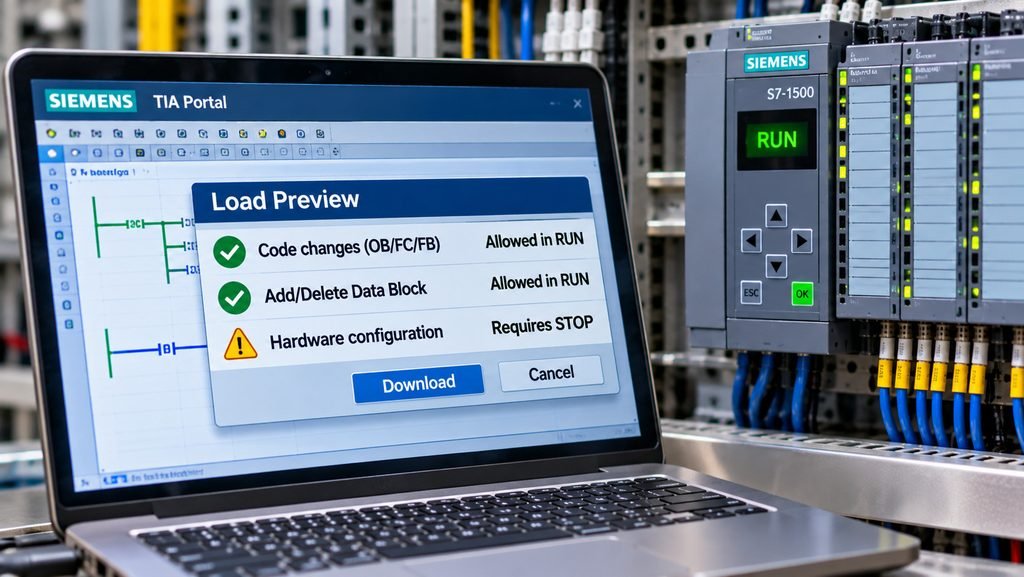
Before any plc online edit that includes a download, the engineering software checks whether the CPU must be stopped. The load preview dialog shows the result. If a stop is necessary, you cannot continue until the CPU is actually in STOP.
That dialog is the most useful screen in the whole tool. It converts a guess into a list.
What the load preview tells you
On the S7-1500, modified OB, FC and FB code can be downloaded in RUN, along with new or deleted FB, FC, DB and UDT blocks and a new OB. On the S7-1200 from V4.0, a new OB, a deleted OB, new or revised text lists, and an OB with modified properties all require STOP.
Changes to the hardware configuration require STOP on both families, and that includes editing comments in the hardware configuration. A comment that looks cosmetic still counts.
Warning: very complex programs can exceed the quantity structures of the CPU and block a download in RUN entirely. If the load preview refuses, the answer is a stop, not a workaround.
Table 2: What an S7-1200 V4.0 or higher and an S7-1500 can take in a RUN download
| Change | S7-1200 V4.0 and higher | S7-1500 |
|---|---|---|
| Modified OB, FC or FB code | RUN, within the block limit | RUN |
| New FB, FC, DB or UDT | RUN, within the block limit | RUN |
| Deleted FB, FC, DB or UDT | RUN, within the block limit | RUN |
| New OB | STOP | RUN |
| Deleted OB | STOP | RUN |
| New or revised text list, OB with modified properties | STOP | RUN |
| Hardware configuration, including comments | STOP | STOP |
The S7-1200 also integrates a limited number of blocks per download in RUN. Siemens puts the figure at 20 blocks at a time. Beyond that the CPU has to go to STOP for the download. Treat 20 as the documented limit and let the firmware manual for your exact CPU have the final word, because the figure has moved between hardware generations.
What the download does not touch
Actual parameters are not overwritten by a download in RUN. Changes to actual parameters are not applied until the next STOP to RUN transition. That surprises people who expect a new preset to take effect the moment the download finishes.
Table 3: What survives a download in RUN on a Siemens CPU
| Item | After the download | When it takes effect |
|---|---|---|
| Actual parameters | Not overwritten | Next STOP to RUN transition |
| Structurally modified DB without a memory reserve | Re-initialized to start values | Immediately, during the download |
| Output whose control logic you deleted | Holds its last state | Next power cycle or a transition to STOP |
| Logic conditional on the first-scan bit | Does not run again | Only a STOP to RUN transition sets first scan |
The third row on that table is the one that hurts. Delete the rung that drives a pump and the pump keeps its last commanded state, because nothing is left in the program to change it. The output does not fall back to off.
What a plc online edit looks like on a Logix controller
Rockwell’s online-edit workflow runs in two stages: test edits, then assemble edits. You work the change through the first stage, then bring it together in the second before the controller accepts it as final.
Going offline with rung edits still pending removes those edits from RAM. There is no prompt that saves you, and no file on disk that has them. A laptop that sleeps at the wrong moment in a plant is a real fault mode, so start the edit on a machine that is plugged in.
Table 4: Test edits and assemble edits on a Logix controller
| Stage | What it means for the change | Failure if you rush it |
|---|---|---|
| Test edits | First stage of the online-edit workflow | Untested logic goes live with the machine running |
| Assemble edits | Second stage, where the change is brought together | Pending work left half finished |
| Going offline mid-edit | Pending rung edits are removed from RAM | The edit is gone and has to be retyped |
Forces are a separate path. On CompactLogix 5380 and ControlLogix 5580 class controllers the controller log buffers up to 500 entries. It records events such as I/O forces enabled, I/O forces disabled, I/O forces removed and I/O forces modified, each with a time stamp and a user name.
14:02:17   maint.jhall   I/O forces enabled
14:19:44   maint.jhall   I/O forces modified
15:40:02   maint.jhall   I/O forces disabled
15:41:10   maint.jhall   I/O forces removed
That log is your alibi and your evidence. When a machine behaves strangely three shifts later, the force history is the first place to look before anyone blames the program.
The five minute pre-edit routine for any plc online edit
The routine below costs five minutes and saves weekends. Do it in order, every time, even when the change is one rung.
- Upload the current program from the CPU and keep a copy with today’s date in the file name. The copy on the network may be older than the machine.
- Open the load preview before you edit anything, so you know whether this plc online edit needs a stop.
- Record every installed force and every modified watch-table value, with the point address and the value.
- Tell the operator and the line lead what will change, when it changes, and how the machine may behave while it does.
- Make the change in one block rather than five, so reversing it is one action.
- ☐ Program uploaded from the CPU today
- ☐ Load preview read before the edit started
- ☐ Installed forces and modified values written down
- ☐ Operator warned and the area around the guard clear
- ☐ Rollback copy saved on the desk as well as on the server
Table 5: Force state to record before you leave the panel
| Recorded item | Why it matters |
|---|---|
| Point address and forced value | Nobody can reconstruct it from memory next shift |
| Who installed it and when | Matches against the controller log |
| Whether it is still enabled | Installed and enabled are different states on Logix |
| What happens on power cycle | Differs by family, so check the manual |
When a plc online edit should become a stop
“So when do I just shut it down?”
When the change alters which output drives a physical hazard, when the logic you are deleting controls motion, or when the load preview says STOP. Also when the machine has to be in a specific position for the change to make sense.
“And if the load preview is clean and the change is small?”
Then run it online, watch the first three cycles, and keep your hand near the stop. The download mode protects the program. It does not protect the person standing next to the cylinder.
Bottom line: a plc online edit is a controlled change, not a free one. Know what the load preview will say, know which forces are installed, and know what every affected output does when its logic disappears.
If any of those three answers is missing, stop the machine. Five minutes of downtime is cheaper than a damaged guard and an investigation.
About TZ Tech
TZ Tech supplies industrial automation, electrical, instrumentation and telecommunications components, including rare and discontinued parts other suppliers can’t source. We buy ready-to-ship distributor stock, so prices stay competitive and lead times stay short.
You get the part you ordered, at the price and lead time we quoted. Legacy and discontinued items come with an honest, accurate report on their real condition, so there are no surprises when the box arrives.
Send your inquiry and you hear back within 6 hours. In-stock items ship without delay.
Every component is screened and inspected before it leaves us. Brand-new parts carry a full 1-year warranty.
If a part isn’t right, we make it right, and we stay reachable after the sale.
Have a project or a part you need? Send us the details and we’ll get back to you fast.
Contact us →